A racing car can be too crisp for its speed. A helmet edge can look cut out. A character can have the right colors yet still feel too bright for the scenery behind it. SMM FX for Adobe After Effects brings together five tools for these finishing decisions: Motion Blur, Edge Blur, Matte Feather, Color Palette Match and Luminance Match. [1]
Perfection, frame by frame is the idea behind our race-car demonstration. Below, each effect has its own before-and-after images directly alongside the explanation. The comparisons preserve the original framing so you can follow the changes in movement, edges, color and tone as you read.
Motion Blur: give movement an exposure
Motion Blur adds motion-based exposure blur to animated or moving footage. Shutter Angle controls the amount, while Shutter Timing positions it relative to the current frame. Draft, Standard and High quality settings let you balance refinement and render time. [1]


Compare the number 3, the wheels and the driver’s helmet. The before image holds them sharply; the after image gives the moving car a visible streak while the stadium remains readable. That change suggests speed in a single frame. Review the result in playback too: the setting that works for a fast pass may overwhelm a small gesture.
Edge Blur: soften the cutout boundary
A foreground element can have convincing texture and lighting but still reveal itself through a hard outline. Edge Blur softens that boundary while retaining detail inside the subject. [1] For this close-up, a gray-and-white checkerboard makes the driver’s helmet edge easier to inspect.
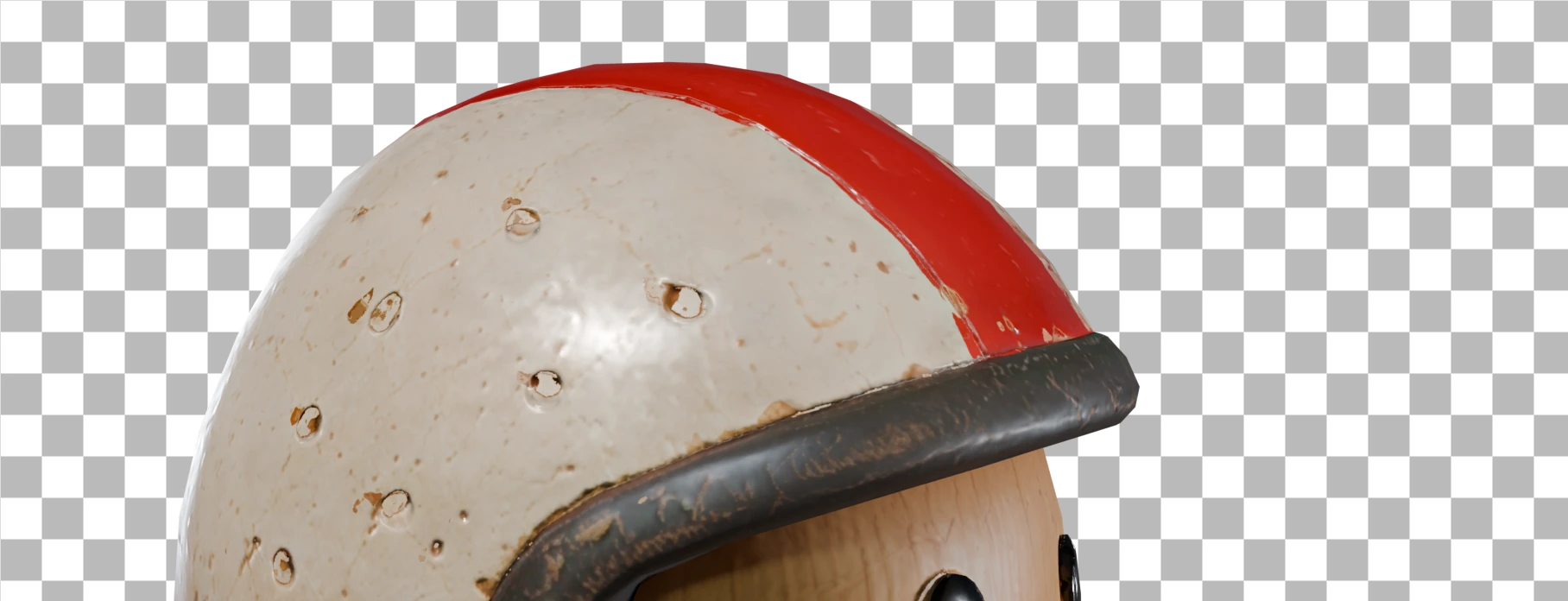
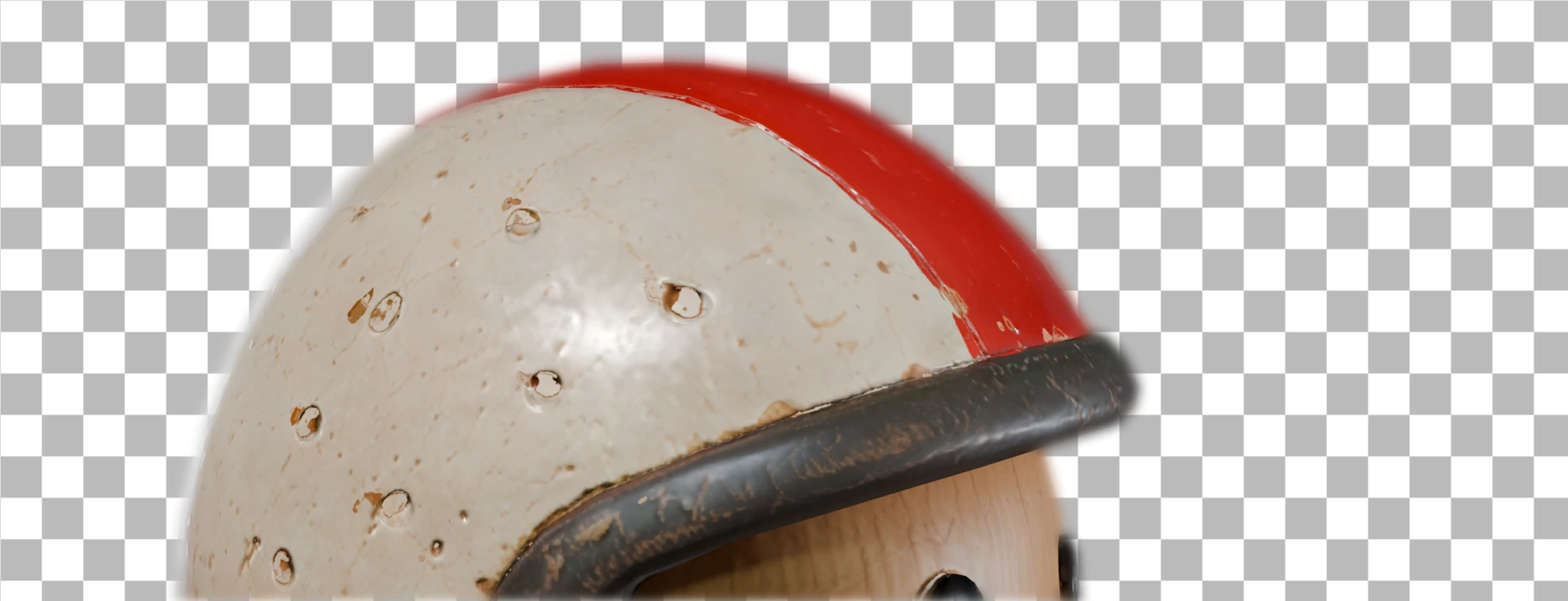
Follow the curved top of the helmet and its projecting rim. The after image introduces a softer transition at the silhouette while the worn surface remains visible. The checkerboard is useful for inspection; make the final adjustment against the background that will appear in the finished shot.
Matte Feather: refine the transparency
Matte Feather works on the layer’s transparency boundary. Feather, choke, direction and mix controls let you adjust that boundary and blend the result with the original. [1] The black-and-white views below isolate the matte so color and surface detail do not distract from its edge.


The white helmet silhouette has a hard boundary in the before image and a more gradual transition in the after image. Viewing the matte this way helps reveal how much softness you are introducing. Return to the composite to judge whether that transition suits the shot.
Color Palette Match: bring the foreground toward the plate
Color Palette Match adapts a foreground layer’s color balance and contrast toward a selected Reference Layer. The Amount control sets the strength of the match. [1] Here, the stadium provides the reference for the driver and red car.


Look between the two images at the pale helmet, blue clothing and red paint. The shift is subtler than the motion-blur demonstration, but it changes how the foreground sits against the scene. Adjust the strength while checking that the character’s recognizable colors still read as intended.
Luminance Match: bring the tones together
Sometimes the main mismatch is brightness and tonal balance. Luminance Match uses a selected background to guide the foreground’s tones, with subtle color adaptation and an Amount control. [1] This tighter driver portrait makes those tonal changes easier to study.


Compare the face, helmet and upper body against the stadium. The after image changes their brightness and tonal relationship to the plate. For either matching effect, a background assembled from several layers can be precomposed and selected as the reference. [1]
Demonstration images: Stop Motion Magazine. The race car and driver were rendered in Blender and composited in After Effects.
Try the bundle in your own shots
The SMM FX collection offers a 30-day free software trial, with no payment required and no automatic renewal. The current download supports Windows x64 and After Effects 2026; it does not support macOS. One activation key covers all five effects on up to two computers. Eligible magazine memberships include plug-in access while that access remains active. [1]
Get the SMM FX bundle, trial and installation instructions →
Start with one clear finishing problem, compare the effect against the original, and check the shot at full resolution and in motion. Build the adjustments around what the image needs, keeping the animated performance at the center of the decision.
References
- Stop Motion Magazine — SMM FX Plug-in Access: effect descriptions, compatibility, trial and licensing information.